




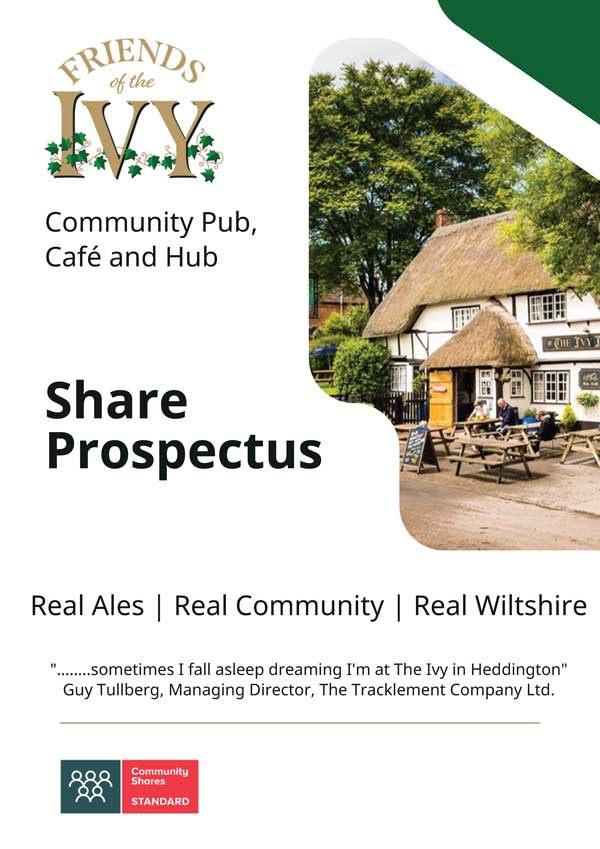
Request Share Prospectus
Our share prospectus is available to view online and to download as a pdf. Please complete the form below to access it.
Please note that our share offer is now closed. You can still request the share prospectus, but you are not able to purchase shares at this time.
Community Shares
Some key points to note (these will be explained in more detail in the Community Share Prospectus):
- Friends of the Ivy is a Community Benefit Society regulated by the Financial Conduct Authority (FCA), registration number 9386
- Shares cost £1 each. The minimum investment is 100 shares (£100) and the maximum is 20,000 shares (£20,000)
- Community Shares have a fixed value of £1—unlike corporate shares they will not increase in value
- You cannot withdraw your money (divest your shares) for at least three years and withdrawal requests are subject to an affordability test (as decided by the Friends of The Ivy Management Committee)
- Interest on shares may be payable after three years, subject to the profitability and reserves of the trading activity (at the discretion of the Friends of The Ivy Management Committee)
- Community Share purchases may be subject to tax relief via the Enterprise Investment Scheme (EIS) or Seed Enterprise Investment Scheme (SEIS) depending on your individual circumstances
- Friends of The Ivy cannot provide financial advice; if you need further information on risk, you should seek advice from a qualified financial advisor.
Pledge Financial Support
It will greatly assist our fundraising efforts from major funding bodies if we are able to demonstrate that we have firm pledges of financial support already in place.
How you can help
If you are in a position to be able to pledge that you will contribute at least £100 to Friends of The Ivy (either via a community shares purchase or a donation); we would be very grateful if you would also complete our Pledge Financial Support form and formally advise us of the amount of your pledge. Thank you.

Request Share Prospectus Form
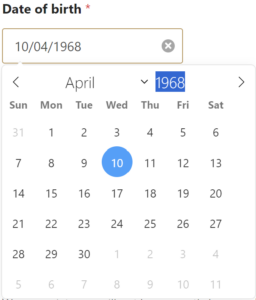
Entering your date of birth
To enter your Date of birth, click in the box and a calendar will pop up:
- Click on the month and select the correct month from the drop-down list
- Click on the year and it will turn blue, either type the correct year or use the up/down arrows to select the correct year
- Finally click on the correct date and your DOB will appear in the box in the correct format.


